
What's in the box
Kitchen Display

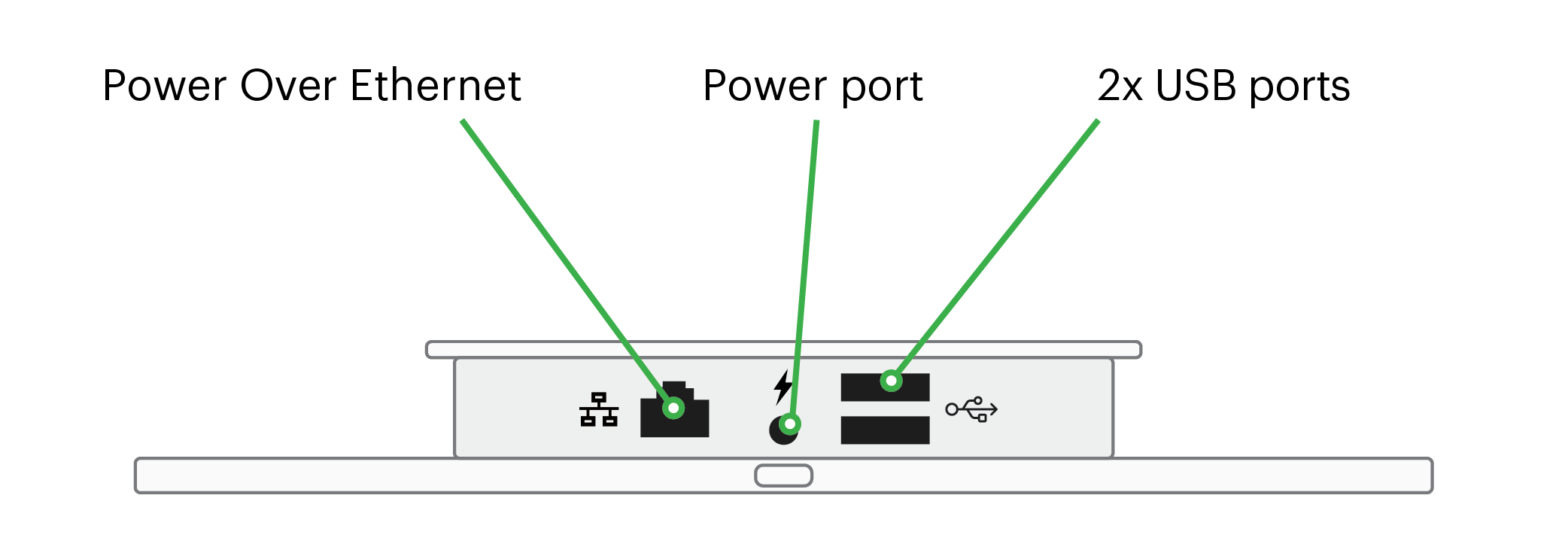
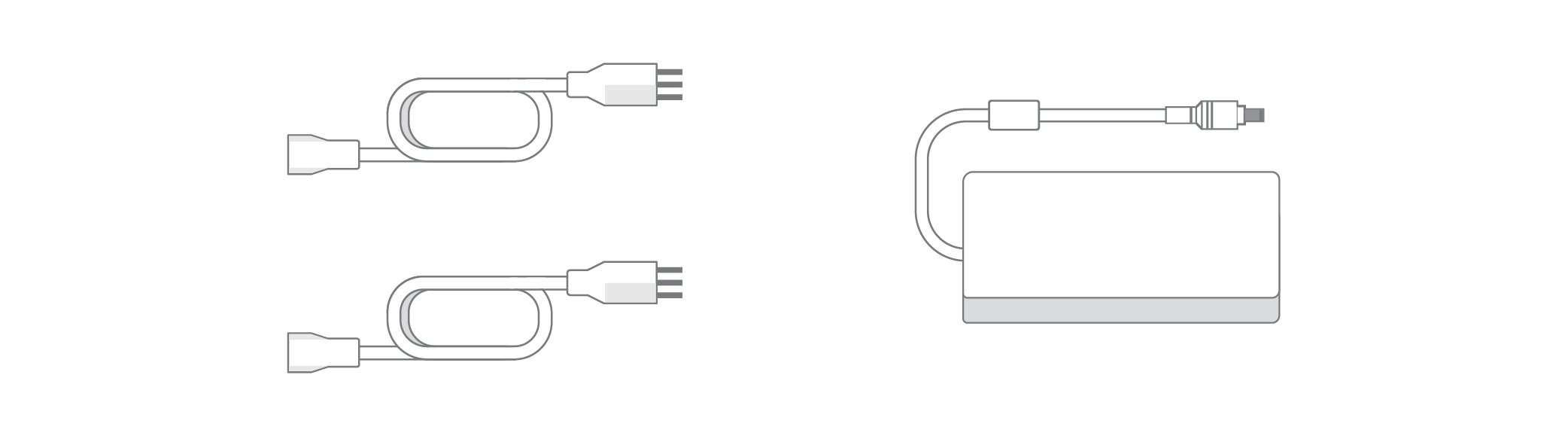
Power cords and power brick
 Power on the KDS
Powering your KDS from a wall outlet
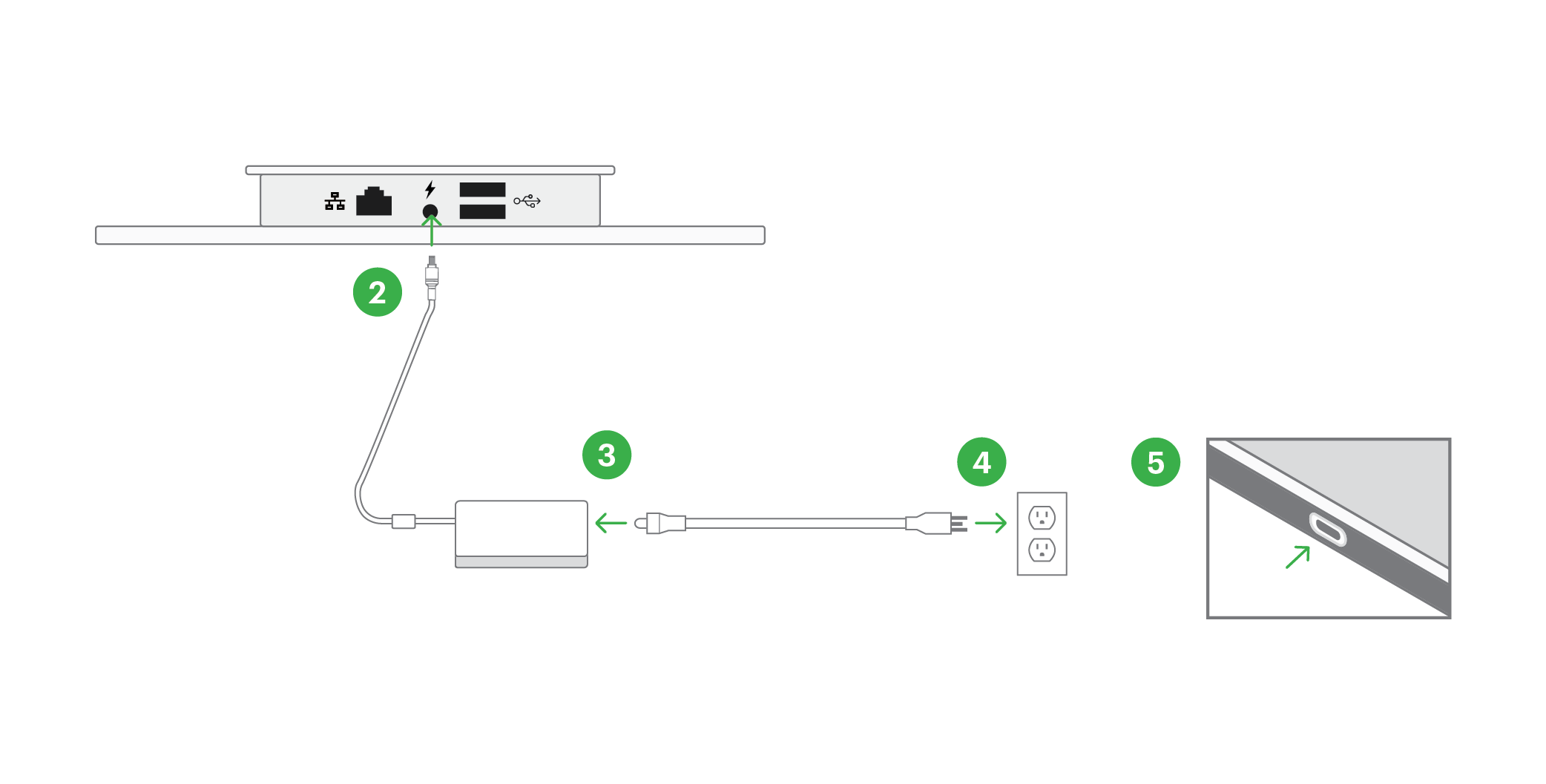
- Remove the Kitchen Display from the box
- Connect the power brick to the base of the KDS
- Connect the power brick to the power cord
- Plug the power cord into a wall outlet
- Power on your KDS by pressing the power button on top of the device
Powering your KDS with power over Ethernet
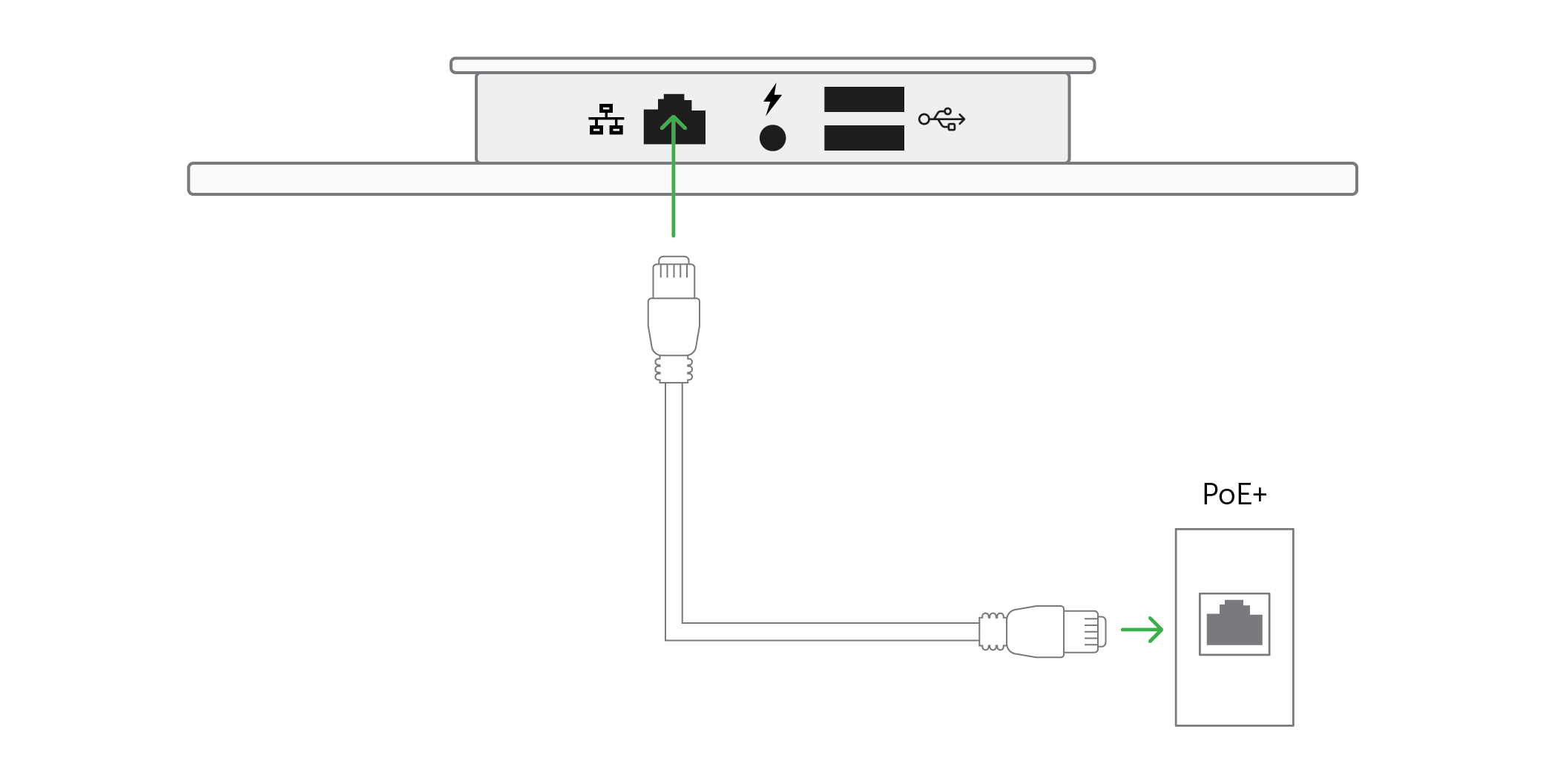
Connect an ethernet cable to your Kitchen Display as shown in the image above.
Mount your KDS to a stand
Clover KDS supports VESA 100mm mounts and is compatible with countertops, wall mounts, and other types of stands. Please note: the stand is not included.
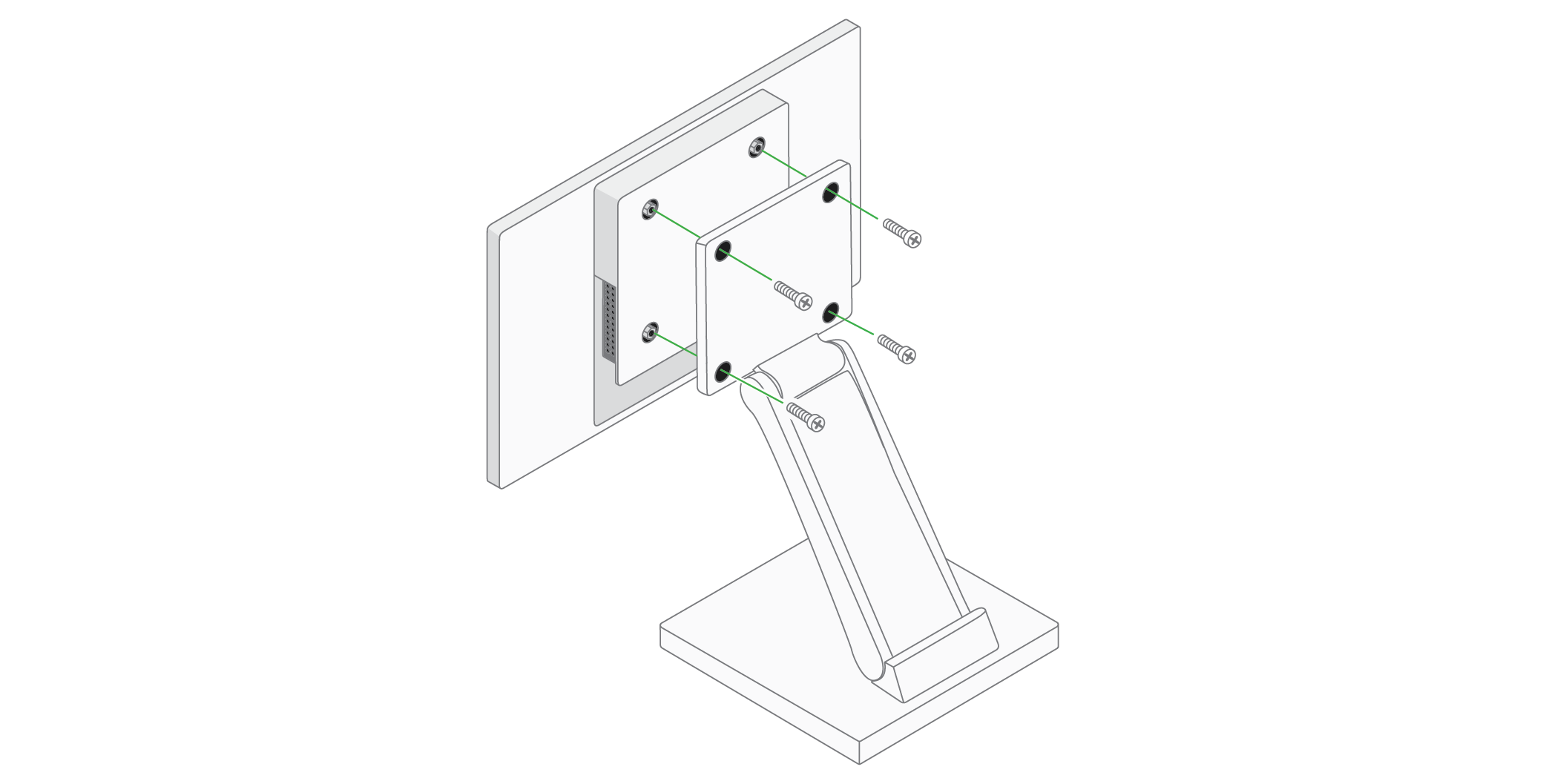
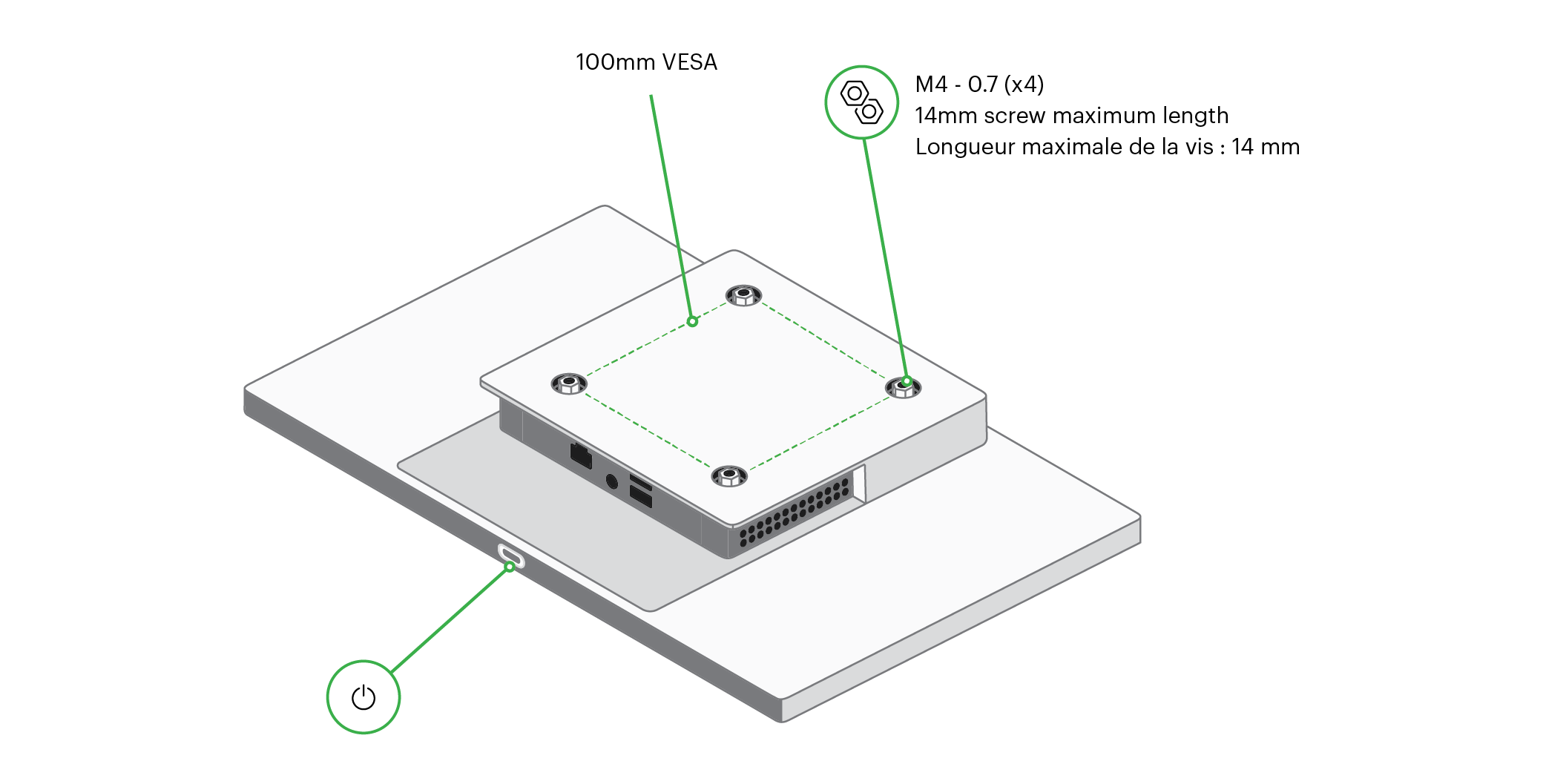
Follow the mounting instructions that came with your stand to attach the KDS.
If you received a bump bar for your KDS please visit: KDS Bump Bar Guide to learn all of its features.