
- Navigate to the iAccess Portal.
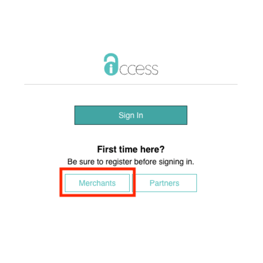
- Under the lower heading of "First time here?", select the button marked "Merchants".
- Enter your Merchant ID Number. (Where do I find my Merchant ID?)
- Enter your Tax ID. If you applied for this account as a Sole Proprietor you will enter your Social Security Number.
- Enter your first and last name EXACTLY as it appeared on your application.
- Enter your Username. This MUST be the email address you used on your application.
- Create a password for your account.
- Once you have completed your registration you will receive an email from donotreply@iaccessportal.com.
- Navigate to your email, open the email from iAccess, and click the "Activate Now" button. This will redirect you back to the iAccess Portal.
- You can now login using your email address and the password you created.