
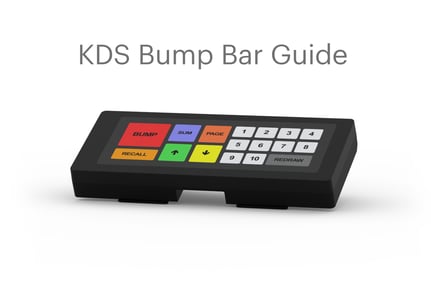
Connecting your bump bar
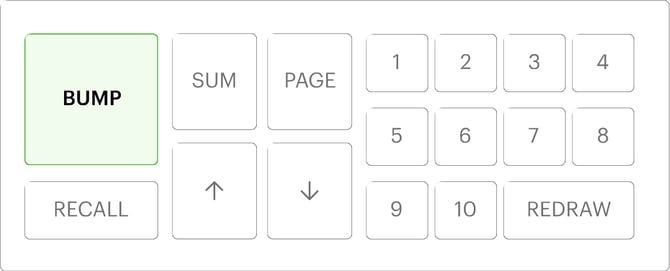
Once your bump bar is connected to your KDS, press BUMP to confirm the connection.
Focusing on the ticket
To focus on a ticket use the number keys to put the corresponding ticket in a focused state.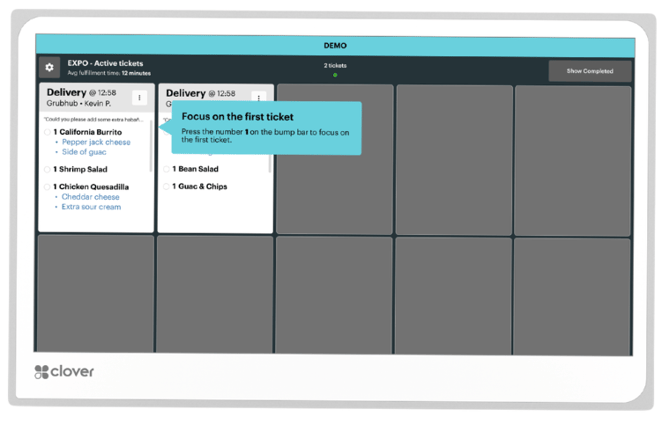
Focusing on an item
To focus on an item within the selected ticket press REDRAW on your bump bar to start focusing on specific items.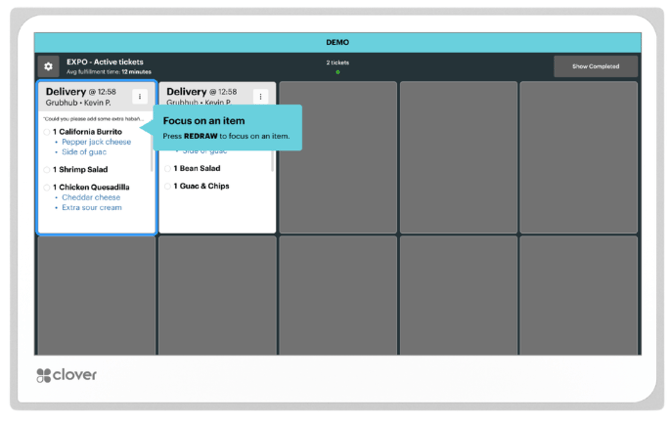
Marking an item as ready
To mark a focused item as ready press REDRAW on your bump bar.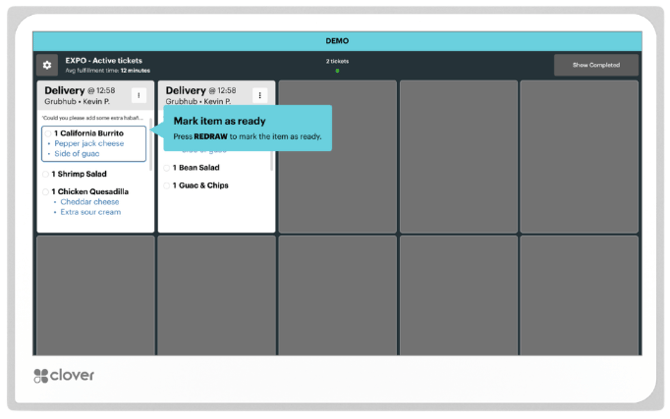
Navigating items in a ticket
To focus different items in a ticket use the UP/DOWN arrows on your bump bar.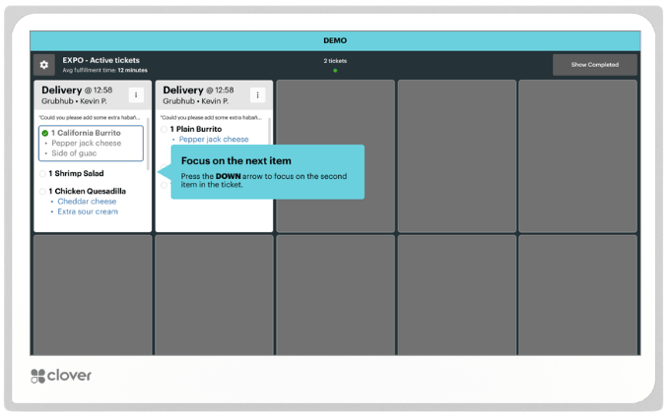
Undo a completed order
Once all items within a ticket are marked as ready the ticket will be removed from the screen.
To undo the completed order press RECALL on your bump bar.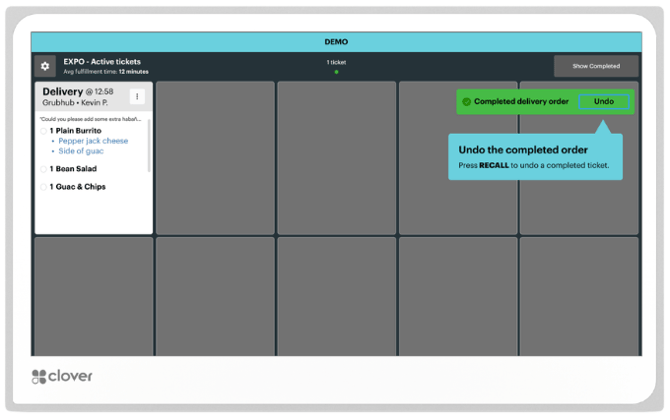
Navigating through tickets
To change the focus on a ticket use the number keys to put the ticket in a focused state or use the DOWN/UP arrows to navigate through tickets.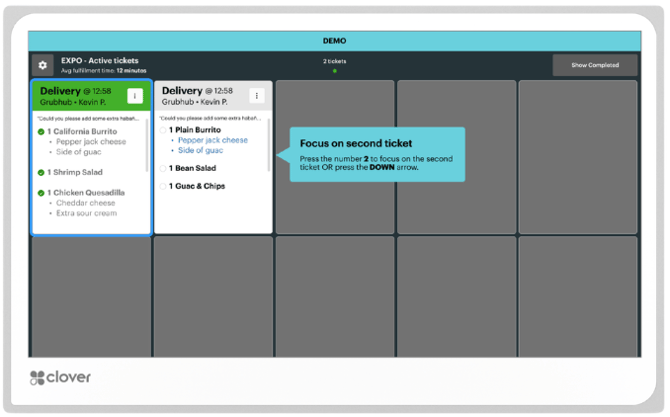
Viewing an order note
To view an order note on a ticket press SUM on your bump bar to bring up the order details.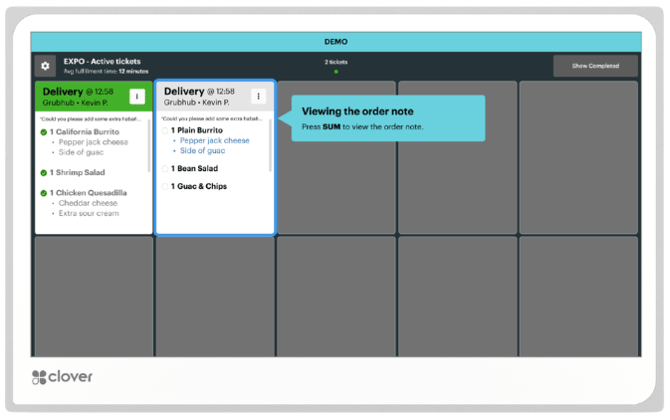
Closing an order note
To close an open order note press SUM on your bump bar.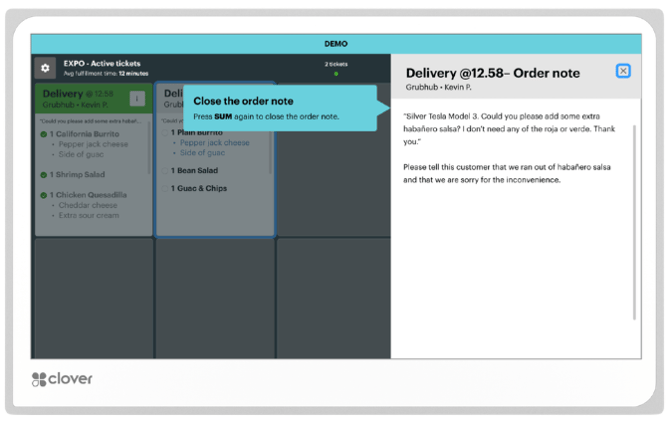
Bumping a ticket
To mark a whole ticket as complete (bump) press BUMP on your bump bar.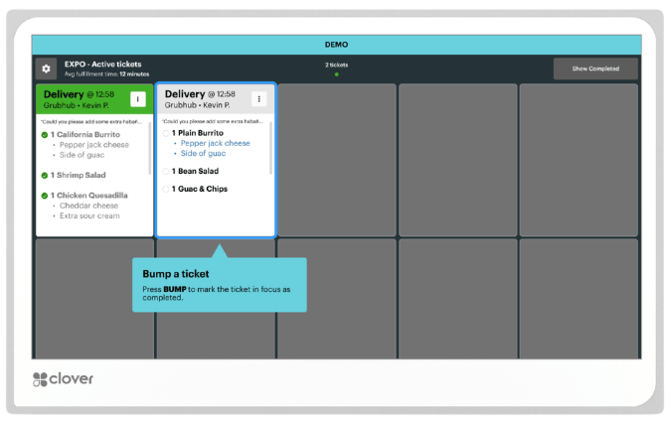
Viewing completed tickets
To view your completed tickets press UP on your bump bar until you have navigated to "View completed". Then press REDRAW to bring you to the completed tickets screen.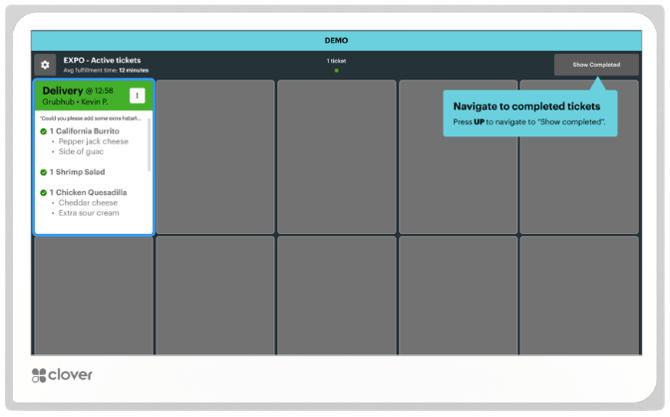
Opening pagination
To open pagination press PAGE on your bump bar to open the pagination control.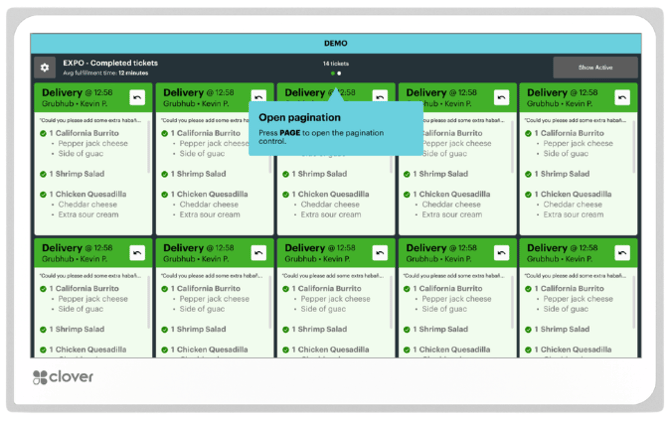
Navigating pages
To navigate to the next page press the DOWN arrow on your bump bar. You can also press UP to return to the previous page.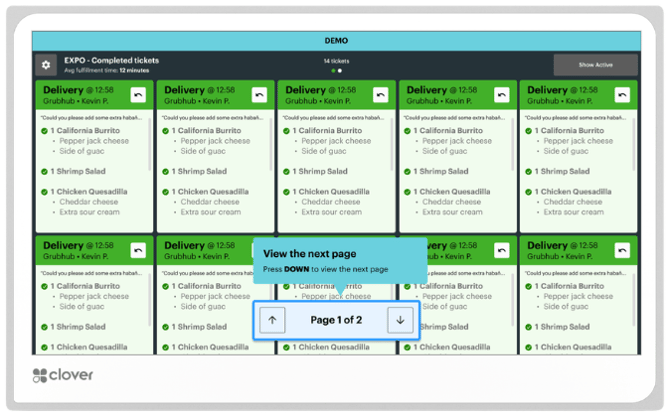
Exiting pagination
To exit the page navigation press PAGE on your bump bar.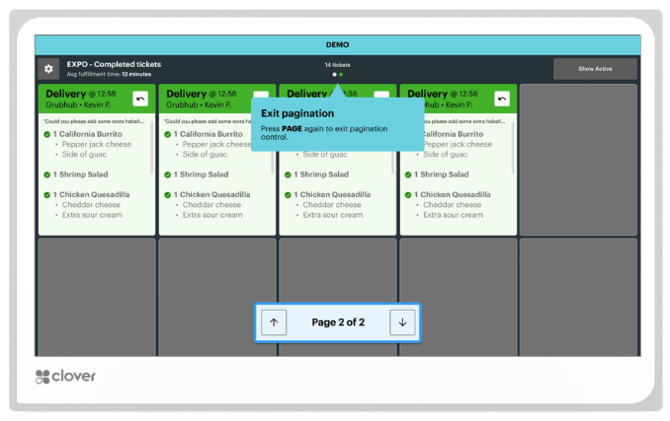
To learn how to set up a Clover Kitchen display system please visit: Set up a Clover Kitchen Display System